Installing NodeJS is not mandatory, but recommended to avoid some potential issue down the line, bun can work without NodeJS and bun is used for that project.
1
Install NodeJs
Go to the NodeJS website, select your operating system and follow the steps on the website.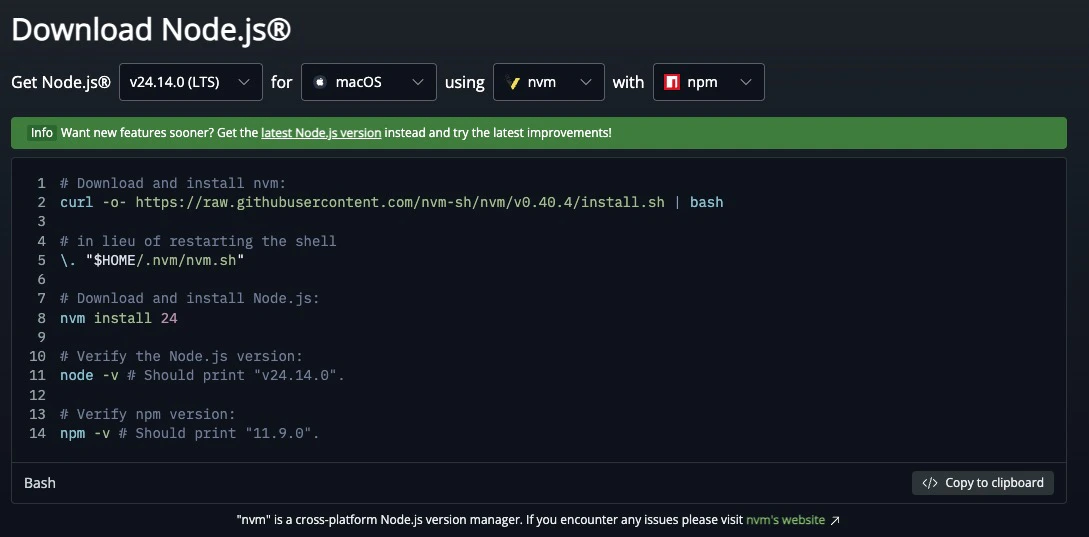
2
Check if NodeJS works
Open your Terminal and run this command, it should return the NodeJS version (need to be 22 or more, older might cause some issues).
3
Install bun
Teams but (actually) good uses bun, so you need to do the same :)Go to the bun website, copy the command for your operating system (should be the one already selected) and past it in your terminal, then follow the steps of the installer.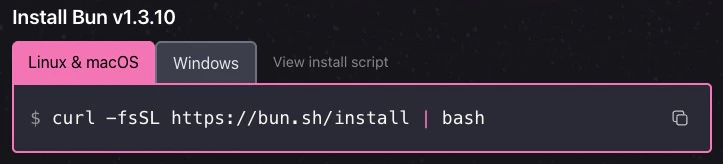
4
Check bun's version
Open your Terminal and run this command, it should return the bun version (don’t forget to restart your terminal).
5
Install git
Now go to the git website, select your operating system and follow the step to install git, you don’t need to understand the install option, you can mostly just next all the time and git will be installed on your pc.
6
Clone the repo
Now we can clone the repo, to do that, go into a folder where you wanna store the project in your terminal, and then run this command.
7
Open project
Now open the folder in your code editor, VSCode is good enough for that if you don’t have any.
8
Install the dependencies
In the root folder of the project, open a terminal and run this command. This command will install all the dependencies needed to run the projet.
9
Check if the installation worked
Run this command to see if it generates correctly. If you got no errors, that means that everything worked fine.
10
Install rust (optional if you only want to build the extension)
Go to the rust download page and follow the instruction on the website, rust is needed to build the Tauri app, if you don’t plan on using it, rust is therefore optional.
Information
File structure, build commands and project overview